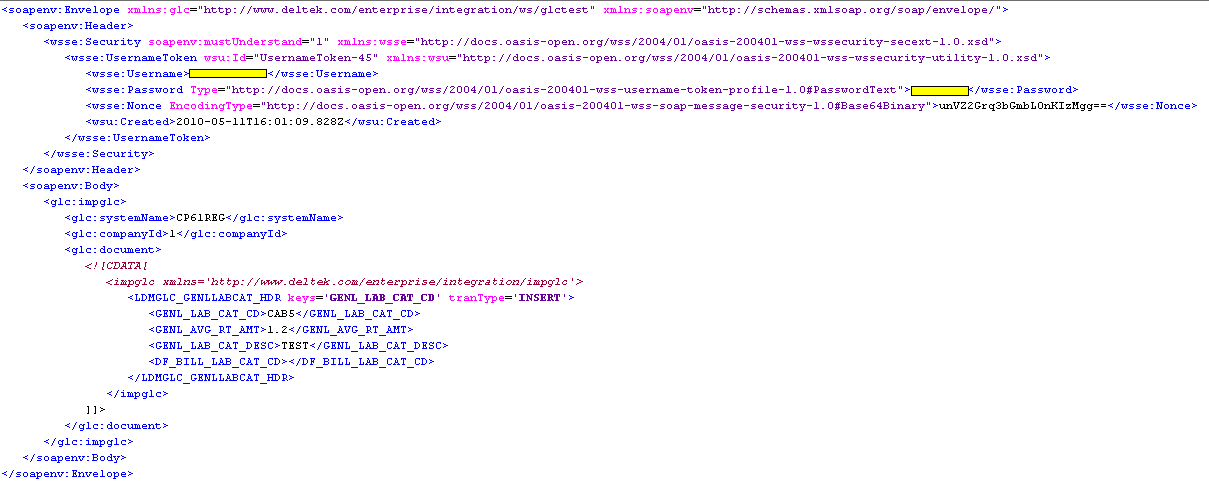
So I created this simple VB Form Project. The form object has 2 items on it. The first item is a button(Button1) that you click to start the web service request. The second item is a muti-line text box(TextBox1) to display the results.
 You are only interested in the
 java:Severity tags. A 0 like the above means you record was processed successfully. There are other return codes the system can throw so check the docs/manual for that.
My Code:
In the code I used a custom written function to read in the file and return the result as a string.
strMyFilter = readXML("C:\GLCLOAD.XML")
You can do
strMyFilter = "ALL YOU XML HERE IF YOU WISH"
Finally The ouput result in the text box is seen below

My Code:
Imports System.Web
Imports System.Net
Imports System.IO
Imports System.Text
Public Class Form1
Private Sub Button1_Click(ByVal sender As System.Object, ByVal e As System.EventArgs) Handles Button1.Click
Dim request As HttpWebRequest
Dim response As HttpWebResponse = Nothing
Dim reader As StreamReader
Dim address As Uri
Dim byteData() As Byte
Dim postStream As Stream = Nothing
Dim strMyFilter As String
address = New Uri("http://192.168.174.6:7009/webservices/GlctestWS")
' Create the web request
request = DirectCast(WebRequest.Create(address), HttpWebRequest)
' Set type to POST
request.Method = "POST"
request.ContentType = "text/xml; charset=""UTF-8"""
'read the XML in as a string. The XML I posted on in the last post
strMyFilter = readXML("C:\GLCLOAD.XML")
' Create a byte array of the data we want to send
byteData = UTF8Encoding.UTF8.GetBytes(strMyFilter.ToString())
' Set the content length in the request headers
request.ContentLength = byteData.Length
' Write data
Try
postStream = request.GetRequestStream()
postStream.Write(byteData, 0, byteData.Length)
Finally
If Not postStream Is Nothing Then postStream.Close()
End Try
Try
' Get response
response = DirectCast(request.GetResponse(), HttpWebResponse)
' Get the response stream into a reader
reader = New StreamReader(response.GetResponseStream())
' Text application output
TextBox1.Text = reader.ReadToEnd()
Finally
If Not response Is Nothing Then response.Close()
End Try
End Sub